Google Performance Max: What It's Quietly Taking Credit For
Performance Max google ads often cannibalise Brand Search and inflate reported wins. Here's how to spot it and rein the budget back in.
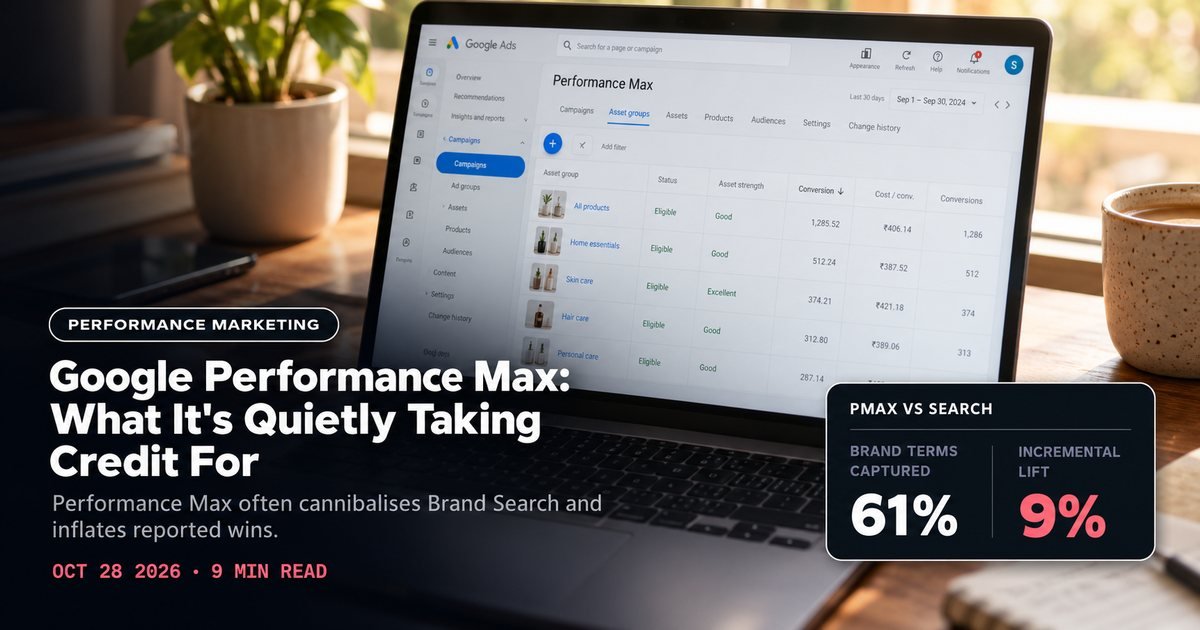
A founder messaged us in September with a screenshot that looked great on the surface. Their performance max google ads campaign was reporting a 6.2x ROAS, their best number of the quarter.
Then we pulled the account. Their Brand Search campaign, the one bidding on their own company name, had lost 70% of its impressions in the same four weeks.
Same conversions. Different line item taking credit for them. Nobody on the team had noticed, because nobody was looking at impression share next to the ROAS number, only the ROAS number itself.
This happens constantly. It's the single most common thing we fix when we take over an account that's been running Performance Max (PMax) for more than a couple of months.
PMax isn't a scam. Google isn't lying to you, exactly.
The attribution model it reports under makes it look far more productive than it actually is. And it does this specifically by eating budget and credit from campaigns that were already working.
If you're evaluating performance marketing agency options or already running paid search yourself, this is worth understanding before you let PMax absorb more of your budget than it should. It's one of several settings most teams never revisit once an account is live, a pattern we cover more broadly in online marketing for D2C brands in India.
What Performance Max actually is
PMax is a single campaign type that runs across every Google inventory source at once: Search, Display, YouTube, Discover, Gmail, and Maps. You feed it a budget and a set of creative assets, headlines, images, video, logos, plus a target CPA or ROAS. Google's algorithm decides where and when to spend.
You get almost no visibility into the split between channels. That's a very different model from running Meta ads for D2C brands in India, where placement and creative choices are still largely yours to make. That's the trade you're making.
You give up granular control over which placements get your money. In exchange, Google's machine learning finds the best-converting combination across its whole ecosystem. For some brands, especially ones with thin historical data or a genuinely broad audience, that trade pays off.
But there's a catch. It shows up the moment you already have a mature Search campaign running alongside PMax, particularly a Brand Search campaign bidding on your own name.
How PMax cannibalises Brand Search
Someone who already knows your brand and types your name into Google is about as close to a guaranteed conversion as paid search gets. A well-run Brand Search campaign captures that intent cheaply, often at a CPA a fraction of anything else in the account.
PMax, when it's allowed to, will bid on exactly the same searches. Google doesn't disclose search terms inside PMax the way it does for standard Search campaigns. You can't directly see this happening.
What you see instead is quieter. Your dedicated Brand Search campaign's impression share drops while PMax's conversion volume climbs.
The conversion that would have happened anyway, from someone who already knew and wanted your brand, gets logged under PMax instead. Same buyer. Different line item.
This changes how you read performance. A PMax campaign reporting a 6x ROAS looks like it deserves a bigger budget allocation next month.
But if a meaningful chunk of that ROAS is cannibalised brand demand, pouring more budget into PMax doesn't grow your business. It just moves money from a campaign you controlled into one you can barely see inside.

Diagnosing it in your own account
You don't need Google's cooperation to catch this. A few checks, run together, usually tell the story within fifteen minutes, and it's the same first step we run during the account audit before we quote a new client on managing their search budget.
First, pull your Brand Search campaign's impression share over the last 90 days and overlay it against the date you launched or scaled PMax. A sharp decline that lines up with a PMax budget increase is the clearest signal.
Second, check your overall branded search volume through Search Console or a rank tracker. If people are still searching your brand name at roughly the same rate but your Brand Search campaign's impressions have fallen, something else is absorbing those clicks. PMax is the usual suspect, since it has first claim on auction eligibility.
Third, look at new-customer rate inside PMax if you have that data tagged. Campaigns with a low new-customer percentage and a suspiciously good ROAS are often living off existing demand rather than generating it.
This is the same pattern we look for when auditing any account before taking it on. We cover the same diligence in performance marketing agency cost in India, on what should actually sit inside a management fee.
Fourth, if you have access to Google's "Insights" tab inside the PMax campaign, check the search themes it's reporting. A disproportionate share of branded search terms showing up there, even in the limited visibility Google gives you, confirms the overlap.
Mitigation that actually works
You can't fully separate PMax from your other Search campaigns the way you could with two standard campaigns, but you can reduce the overlap meaningfully.
Brand exclusion lists. Google added the ability to exclude your own brand terms from PMax in 2023. Use it. This single setting is the biggest lever available and it's underused because a lot of accounts were set up before the feature existed and nobody revisited the settings after.
Keep a dedicated Brand Search campaign running, fully funded, regardless of what PMax reports. Don't let a glowing PMax ROAS talk you into pulling budget from Brand Search. That campaign is your insurance against exactly this cannibalisation, and starving it to feed PMax is backwards.
Structure asset groups around genuinely distinct audiences, not duplicated ones. If you're running PMax for cold prospecting and a separate campaign for retargeting, make sure PMax's audience signals aren't just re-targeting the same warm list your other campaigns already own. Overlapping audience signals across campaign types is a quieter version of the same cannibalisation problem.
Set a budget ceiling for PMax relative to total account spend, rather than letting it scale freely because the reported ROAS looks strong. A reasonable starting point for most D2C accounts is capping PMax at 30-40% of total paid search budget until you've run a holdout test (see below) and have real incrementality data.
Run a geo or time-based holdout test. Pause PMax in a subset of regions, or for a defined window, while keeping Brand Search and other campaigns live. Compare total account conversions, not just PMax's own reported numbers, against a comparable prior period.
This is the only real way to see PMax's incremental contribution. Everything else is just reading the number PMax wants you to read.

Where PMax is genuinely worth the budget
None of this means PMax is bad. For prospecting into genuinely new audiences, or for catalogue-heavy ecommerce accounts where Google's asset-matching does real work across Display and YouTube inventory, PMax can outperform a manually built equivalent.
Managing that many channels by hand at D2C scale is its own full-time job anyway.
Running PMax is fine. Letting its self-reported numbers set your budget allocation without checking what they're actually measuring is the mistake.
Brands that get this right run PMax and Search side by side, with brand exclusions on, a protected Brand Search budget, and a quarterly holdout test to keep the reported numbers honest.
Has your account's current split between PMax and Search been audited this way? If not, it's worth getting a second set of eyes on it before your next budget cycle. A free strategy call is a reasonable way to get that done without committing to anything.
Takeaways
- 1Add your own brand terms to PMax's exclusion list. This alone fixes most of the cannibalisation.
- 2Never let a strong PMax ROAS justify cutting your Brand Search budget.
- 3Run a holdout test before trusting PMax's reported incrementality.
- 4Cap PMax at a defined share of total search budget until you have real data, not a guess.
- 5Check audience signal overlap across campaign types, not just budget splits.
Want us to audit where your CAC is leaking?
Book a call