Ecommerce Web Development for D2C Brands: Shopify vs Custom vs Headless
Ecommerce web development decisions cost D2C brands lakhs when they pick the wrong stack. Here's when Shopify, custom, or headless actually fits.
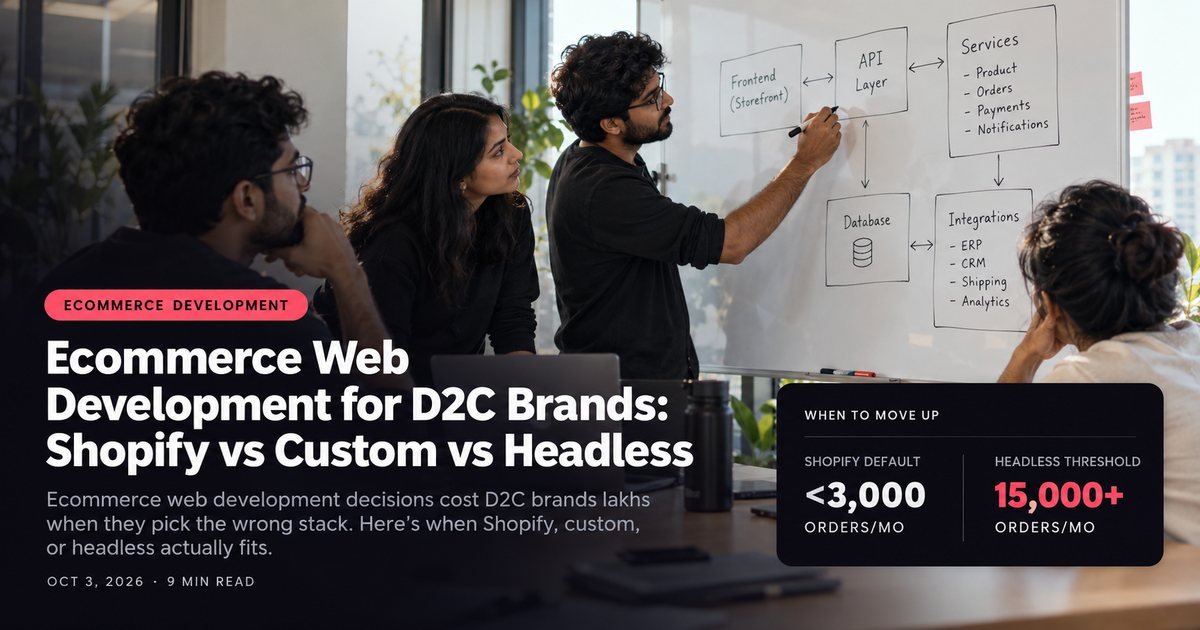
Most founders ask the wrong question first. They ask "who should build my store" before they've settled "what should we even build it on." That second question, the platform and architecture call, decides your costs, your dev hiring, and your ceiling for the next three years.
Ecommerce web development for a D2C brand comes down to three real paths: Shopify off-the-shelf, a custom build, or headless commerce. Each one fits a different order volume, a different SKU count, and a different in-house team. Pick based on your stage, not on what a competitor's tech stack looks like from the outside.
I've watched brands overbuild at ₹50 lakh in monthly revenue and underbuild at ₹5 crore. Both mistakes are expensive. This post walks through the actual triggers that should decide your platform, not vibes or what an agency wants to sell you.
What Shopify off-the-shelf actually covers
Shopify, straight out of the box with a paid theme, handles the vast majority of D2C brands doing under ₹2 crore a month in revenue. That's a genuinely strong default, and it's why so many brands never need to leave it.
You get checkout, payments, inventory, and basic analytics without writing a line of backend code. A decent Shopify theme (think ₹3,000-₹15,000 one-time) covers product pages, collection pages, and a working cart in a week or two.
The ceiling shows up around three things: checkout customization, page speed at scale, and merging content with commerce. Shopify's checkout is locked down unless you're on Shopify Plus, and even then customization is limited compared to a fully custom build.
If your catalog is under 500 SKUs, your order volume is under 3,000 a month, and you don't need a wildly custom checkout flow (subscriptions, bundling logic, region-specific pricing tiers), Shopify off-the-shelf is the smart choice, not a compromise. Don't let anyone talk you into more architecture than your order volume justifies.

When a custom build actually pays off
A custom build means someone writes bespoke frontend and backend code on top of (or instead of) Shopify's default theme layer, still usually inside the Shopify admin, but with real engineering behind the storefront.
This makes sense once you hit specific friction, not a specific revenue number.
Watch for these triggers:
- Your catalog has complex variant logic (size, color, bundle, subscription tier) that the default theme renders slowly or incorrectly
- You need a checkout flow Shopify doesn't natively support, like a multi-step configurator or region-locked pricing
- Your Core Web Vitals scores are tanking because a bloated theme is loading twelve apps' worth of scripts
- Marketing wants landing pages that convert differently than your PDP, and duplicating the theme for every campaign is unsustainable
Custom build costs in India typically run ₹1.5 lakh to ₹8 lakh depending on scope, plus ongoing dev retainer. That's a real jump from a ₹15,000 theme.
The trigger has to be concrete. A custom build should solve a named problem, not just feel more "premium."
One food brand we worked with kept losing conversions on mobile because their theme loaded four different review-widget scripts on every page load. A custom build stripped that down to one lazy-loaded component.
Load time dropped from 6.2 seconds to 2.1 seconds. That's the kind of trigger worth paying for, and it paid for itself inside two months of the resulting conversion lift.
Here's a rough decision check before you commit to custom:
- 1Can you name the exact feature the default theme can't do? If not, you don't need custom yet.
- 2Do you have a dev retainer budget for ongoing maintenance, not just the build?
- 3Is the fix isolated (one broken flow) or systemic (the whole theme is slow)?
- 4Would a better app or theme swap solve 80% of the problem for 10% of the cost?
If you answered "no" to question 4, custom is probably worth it.

Headless commerce: the real triggers, not the hype
Headless, using something like Shopify Hydrogen, decouples your frontend from Shopify's backend. Shopify still handles inventory, orders, and payments; your frontend is a separate React/Next.js app that talks to Shopify through its Storefront API.
Agencies love pitching headless because it sounds cutting-edge. Most D2C brands don't actually need the added complexity it brings.
Here's when it genuinely pays off:
Order volume above 15,000 a month with heavy traffic spikes. If a festive sale or a viral influencer post regularly sends 10x traffic in an hour, a headless frontend on a CDN handles that load far better than a themed Shopify storefront.
Multiple storefronts sharing one backend. If you're running a B2C site, a B2B wholesale portal, and maybe a regional microsite off the same product catalog, headless lets one Shopify backend power all three frontends without duplicating inventory logic.
A dev team that can own a separate frontend codebase. Headless means your frontend is no longer "just Shopify liquid templates." It becomes a standalone app that needs its own deploy pipeline and its own monitoring, run by a developer who understands React deeply.
Without that team in place, headless turns into a maintenance nightmare within six months. We've seen it happen twice this year alone with brands who jumped in without the hire lined up first.
We've seen brands jump to headless at ₹80 lakh a month in revenue because a competitor did it, then spend the next year firefighting a frontend nobody on staff fully understood.
Headless solves scale problems. It isn't a status symbol, and treating it as one is an expensive way to learn that lesson.

Matching the platform to where you actually are
Order volume is the single clearest signal, but it's not the only one.
SKU complexity matters just as much. A skincare brand with 40 SKUs and simple variants can run comfortably on Shopify default well past ₹1 crore a month. A fashion brand with 2,000 SKUs across size, color, and season needs more structure much earlier, sometimes at half that revenue.
Checkout needs are the third filter. If you need subscriptions, try-before-you-buy, or COD-specific logic (still common across cash on delivery vs prepaid decisions in Indian D2C), that alone can push you toward custom even at modest order volume.
Dev team maturity is the filter people underweight the most. Without an in-house or retained frontend developer, headless commerce turns into a liability waiting for the first bug that takes down checkout mid-sale.
The honest sequencing most brands should follow: start on Shopify default, move to custom when you hit a named, concrete friction point, and only go headless when order volume, multi-storefront needs, and dev team maturity all point the same direction at once. Skipping steps because a bigger brand's tech stack looks impressive is how founders end up paying for architecture their catalog doesn't need.
What migration actually costs you, regardless of platform
Every platform change carries a hidden cost that founders forget to budget: the migration itself. Moving from a Shopify theme to custom, or from custom to headless, means re-pointing every existing URL, re-testing every payment gateway integration, and re-training whoever runs your day-to-day catalog updates.
Budget two to four weeks of parallel running before you fully cut over. Keep the old store live in a staging state until the new one has processed real orders cleanly for at least a week. Rushing this step is where most platform migrations actually go wrong, not in the build itself.
Plan the migration timeline before you sign off on the build. A four-lakh custom build that takes six weeks longer than planned because nobody budgeted migration time costs more than the build itself in lost sales momentum.
This decision sits right next to the build question itself, who should own your build, and the broader timeline question of how the whole build actually unfolds. Platform, builder, and process are three separate calls; don't collapse them into one gut decision.
If your current store is already showing the friction signals above, a conversion-first store built around your actual catalog is a more useful next step than another theme swap. And if you're weighing this against selling on marketplaces too, the D2C vs marketplace tradeoffs are worth reading alongside this one.
Takeaways
- 1Stay on Shopify default under roughly 3,000 orders/month and 500 SKUs unless checkout needs force your hand.
- 2Move to custom only when you can name the exact feature or bottleneck the default theme can't solve.
- 3Reserve headless for 15,000+ monthly orders, multi-storefront needs, or traffic spikes that repeatedly break a themed store.
- 4Never adopt headless without a frontend developer already on retainer to own it.
- 5Re-evaluate this decision every 12-18 months as order volume and SKU count change, not just once at launch.
If you're mid-decision and want a second opinion on your specific catalog and order volume, a strategy call is a faster gut-check than another round of Googling comparisons.
Book a call