Google Shopping Ads Setup for D2C Brands: The Feed Errors Killing Your Impressions
Most Google Shopping ads underperform because of feed errors, not bidding. Here's the exact Merchant Center audit to run this week.
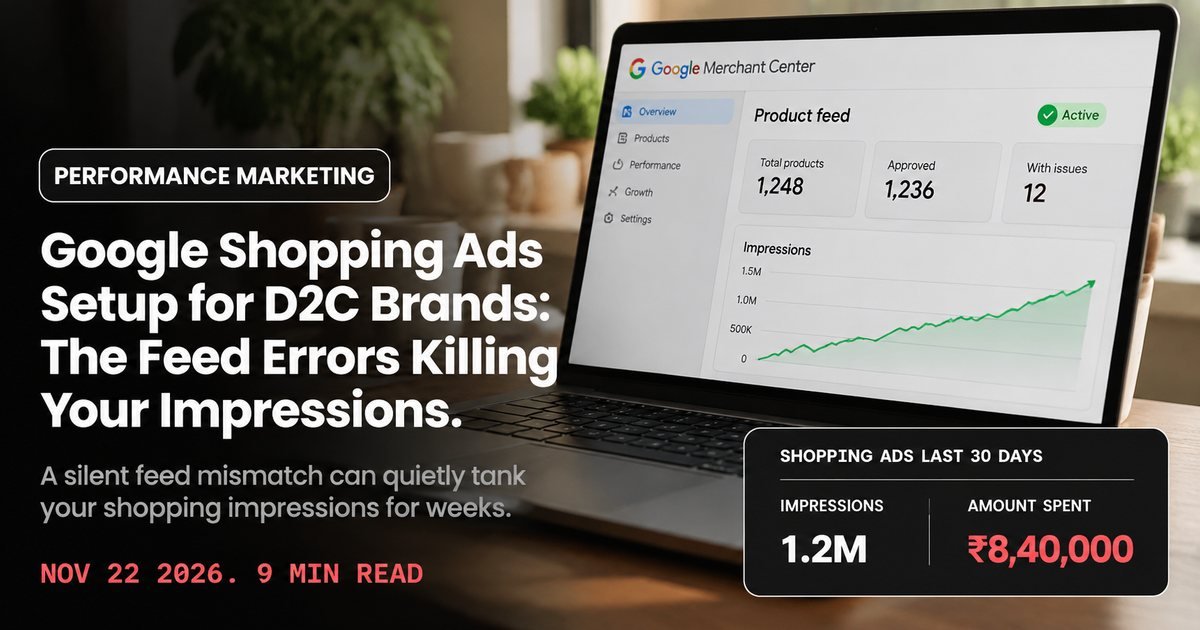
A skincare brand called us in because their impression share had quietly dropped to 34% over six weeks. No one had touched the bidding. No budget had changed. The campaign manager kept checking Smart Bidding targets, convinced the algorithm had broken.
It hadn't. Forty-one products out of a 300-SKU catalog were sitting disapproved in Merchant Center. Nobody had opened the diagnostics tab in over a month.
This is the part of Google Shopping ads that rarely gets talked about. Everyone optimizes bids, budgets, and ROAS targets. Almost nobody audits the feed that actually feeds those campaigns.
A broken feed doesn't fail loudly. It shrinks the number of eligible products one disapproval at a time, quietly, until impression share has collapsed and nobody can say exactly when it started.
If you run Shopping campaigns for a D2C brand, the feed is the foundation. Get it wrong and bid tuning won't save you. Here's what to check in your own Merchant Center account this week, roughly in the order problems tend to surface.
Missing or incorrect GTIN and brand identifiers
Google requires a unique product identifier, almost always a GTIN (Global Trade Item Number), for most products sold by more than one retailer. Private label and genuinely unique D2C products get an exemption. Google's system doesn't always recognize that automatically.
The common failure: a brand marks identifier_exists as false without understanding what that attribute does. Or it leaves the GTIN field blank on products that do have one, because nobody pulled it from the packaging. Either way, Merchant Center flags the item for a missing identifier, and it loses eligibility for standard Shopping placements.
Check this specifically. Open Merchant Center diagnostics, filter by "missing value" issues, and look for GTIN or MPN warnings. If you sell branded products sourced from a manufacturer, cross-reference the barcode on the actual packaging against what's in your feed. A surprising number of feeds have GTINs that got copy-pasted wrong during a catalog migration years ago and never caught.
If your products are genuinely unique to your brand, with no barcode and no other retailer selling them, set identifier_exists to false explicitly rather than leaving the field empty. An empty field reads as a feed gap. An explicit false reads as a deliberate choice, and Google treats the two very differently in approval logic.
Title and description mismatches with the landing page
Google checks whether your feed's product title and description roughly match what's on the landing page. Not word for word. But a Shopping title promising "Organic Lavender Body Oil, 200ml" landing on a page showing "Lavender Body Oil (150ml, Limited Batch)" creates a mismatch.
Sometimes that triggers a disapproval. Sometimes it passes review but tanks conversion rate anyway, because the shopper feels misled the second the page loads.
This happens constantly after a product gets reformulated, resized, or rebranded. The website updates. The feed doesn't. Or the other way around. Feeds and websites live on different update cycles unless someone's actively syncing them.
Run a manual spot check. Pull ten random products from your feed, open each landing page in a new tab, and compare title, size, variant, and price against what the feed says. Do this monthly, at minimum. For catalogs over a few hundred SKUs, a scheduled feed rebuild straight from your product database, rather than a manually maintained spreadsheet, removes this problem almost entirely.

Incorrect or missing product category mapping
Google's google_product_category and product_type attributes decide where your product shows up in Shopping results, and which auction it competes in. Map a skincare serum into a generic "Health & Beauty" bucket instead of the specific "Health & Beauty > Personal Care > Cosmetics > Skin Care > Face" leaf category, and you're competing in a much broader, less relevant auction than you need to be.
This is a quiet error. It rarely triggers a disapproval. The product stays live, just poorly categorized, showing for the wrong searches or losing to products with tighter targeting. It shows up as weak CTR and inflated CPC on Shopping, a pattern worth cross-checking against the broader account issues we cover in the Google Ads audit we run before taking any client.
Use Google's full taxonomy file, not a guess, and map to the most specific leaf category available for every product line, not just your bestsellers. It takes an afternoon for a mid-sized catalog. Few fixes on this list cost so little and pay back so fast.
Price and availability mismatches: the silent killer
This one quietly destroys more Shopping performance than any other feed error. It almost never shows up as an obvious disapproval.
Google periodically crawls your landing pages and cross-checks the price and stock status against what your feed reports. A mismatch, even a small one, triggers a price accuracy warning. Repeated mismatches can suspend the specific offer, or in bad cases, the whole account's Shopping eligibility.
The classic cause: a flash sale or coupon changes the live price, but the feed update job runs once every 24 hours. Sometimes once a week. For hours at a stretch, Shopping advertises a price Google's crawler can see doesn't match reality.
Same problem in reverse with stock. A product sells out on the site. The feed still reports in stock. Google keeps serving ads for something nobody can actually buy.
This matters even more during a festive sale or a flash drop, exactly when feed update frequency stops being theoretical. Refresh once a day, and you're running a real mismatch window every time a price or stock level shifts mid-day.
Set your feed to refresh at minimum every few hours during any sale period, and use the Content API for real-time inventory sync if your catalog changes stock status daily. Price and availability accuracy decides, more than almost any other single setting, whether Google trusts your feed enough to keep showing it.
Image policy violations that quietly block products
Google's image requirements are stricter than most teams assume, especially for apparel, beauty, and accessories. Watermarks. Promotional text baked into the image itself, like "50% OFF" burned onto the product shot. A logo that dominates the frame. Generic stock photography standing in for the real product. All of it violates policy and gets flagged, eventually.
The frustrating part: these violations often get approved at first, then flagged weeks later during a periodic re-review. By then nobody remembers what changed. A seasonal image with a sale badge baked in is a common culprit. It sails through for two weeks, then gets pulled right when it was performing best.
Check your product image URLs directly in the feed, not just what shows on your website. Some brands serve a cleaner image to Merchant Center than what displays on-site, and some do the opposite by accident.
For apparel and beauty specifically, Google increasingly expects a white or light neutral background on the primary image. Lifestyle shots belong as additional images, not the primary one. Any text overlay on the primary image is a risk, flagged or not.
Shipping and tax setup errors that tank impression share
This one gets overlooked. It feels like an accounting detail, not an ads problem. But shipping settings in Merchant Center directly affect whether Google considers your listing accurate enough to show. Tax misconfiguration in certain categories triggers compliance flags that suppress visibility entirely, particularly for anything touching GST-sensitive categories.
The common error: shipping settings configured once at setup, never revisited as rates changed, free shipping thresholds shifted, or new regions got added. Google cross-references your stated shipping cost against what a shopper actually sees at checkout. A mismatch here produces the same trust penalty as a price mismatch. Just less talked about.
Go into Merchant Center's shipping settings and verify the rates, zones, and free-shipping thresholds match your live checkout right now, not what was true on setup day. Five minutes. Most teams genuinely haven't done it in over a year.

Feed update frequency for fast-moving inventory
A feed that updates once every 24 or 48 hours works fine for a stable catalog with slow-moving SKUs. It actively hurts a D2C brand running frequent drops, flash sales, or fast sell-through on limited-batch products. That describes a large share of the brands we work with.
Stale feed data compounds every other problem on this list. A disapproved product fixed on the site three days ago but unrefreshed in the feed is still disapproved as far as Google's concerned. A restocked item still shows out of stock. A weekend price drop doesn't show up until Monday's scheduled fetch.
Shopify and most major ecommerce platforms now offer near-real-time feed sync through the Content API, instead of a scheduled file fetch. For brands still running a manually uploaded or FTP-scheduled feed, moving to API sync is usually the single biggest technical change available.
More impactful than most bidding adjustments, because it fixes the data freshness problem underneath everything else. This connects directly to the Performance Max budget cannibalization issue too, since Performance Max pulls heavily from Shopping feed data and inherits every one of these staleness problems automatically.
What to actually do this quarter
- 1Pull the Merchant Center diagnostics tab today and sort by disapproved and limited-approval items; don't wait for a scheduled review.
- 2Spot-check ten random products against their live landing pages for title, price, and availability accuracy.
- 3Map every product line to the most specific leaf category in Google's taxonomy, not a generic parent category.
- 4Audit your feed update frequency against how often your prices and stock levels actually change; move to API sync if there's a meaningful gap.
- 5Review image files directly from the feed URLs for watermarks, text overlays, or non-compliant backgrounds, not just what's visible on your site.
- 6Verify shipping and tax settings in Merchant Center match your current live checkout, not your setup-day configuration.
None of this requires a bidding strategy change or a bigger budget. It requires someone actually opening the diagnostics tab and treating the feed as the thing that decides whether your Shopping ads can even compete, long before any auction happens.
For the setup mistakes that compound feed problems even further, the month-one Google Ads setup mistakes we see most often is worth reading alongside this one.
If you want someone to run this audit against your own Merchant Center account, a free strategy call is the fastest way to find out what's quietly suppressing your impression share right now.
Book a call